Posts

Midterm Update

 I just complied and compressed all my files from this first half of the semester (I hope I compressed them right), and just wanted to update on how the semester has gone so far. I honestly didn't quite know what to expect starting this class this year, but I am really proud of what I have been able to accomplish with my projects so far, especially in Photoshop. We started with Midjourney, which is incredibly fun to use, and I never would have found out about about a resource like that if I hadn't been in this class. It took a minute to get the hang of it at first, but now I have a really good understanding of what keywords I need to use within the prompts to get what I want, as well as how to change the orientation or the quality of the photo. Then we started using Photoshop, which when we started I really thought I was never going to be able to use it because it was so complicated. But, as we did projects with it and were able to practice with the program, it became much easi...
Illustrator Portrait and Landscape

 Our homework for this weekend was to create an image of a landscape and a portrait in Illustrator. It was... definitely something. Very frustrating. Very anger-inducing. I thought that the portrait was a lot easier to create than the landscape, partially because the picture of Taylor Swift I used had more set shapes than the landscape.  For the landscape image, I used a picture of a formation from Red Rock Park, but I think the scraggly formation of the rocks and all the different shades of colors made it even harder to trace the image and paint it. Even trying to paint in the different shapes proved difficult, because when I tried to use the paint brush tool, it would only let me use like two different brushes that didn't work for what I needed, and the size of the brush wouldn't change either, so the painted parts just didn't end up how I wanted them.  I tried a few different methods of creating the image, included the trace tool, but it really didn't work how I need...

Digital Media Interaction

Image
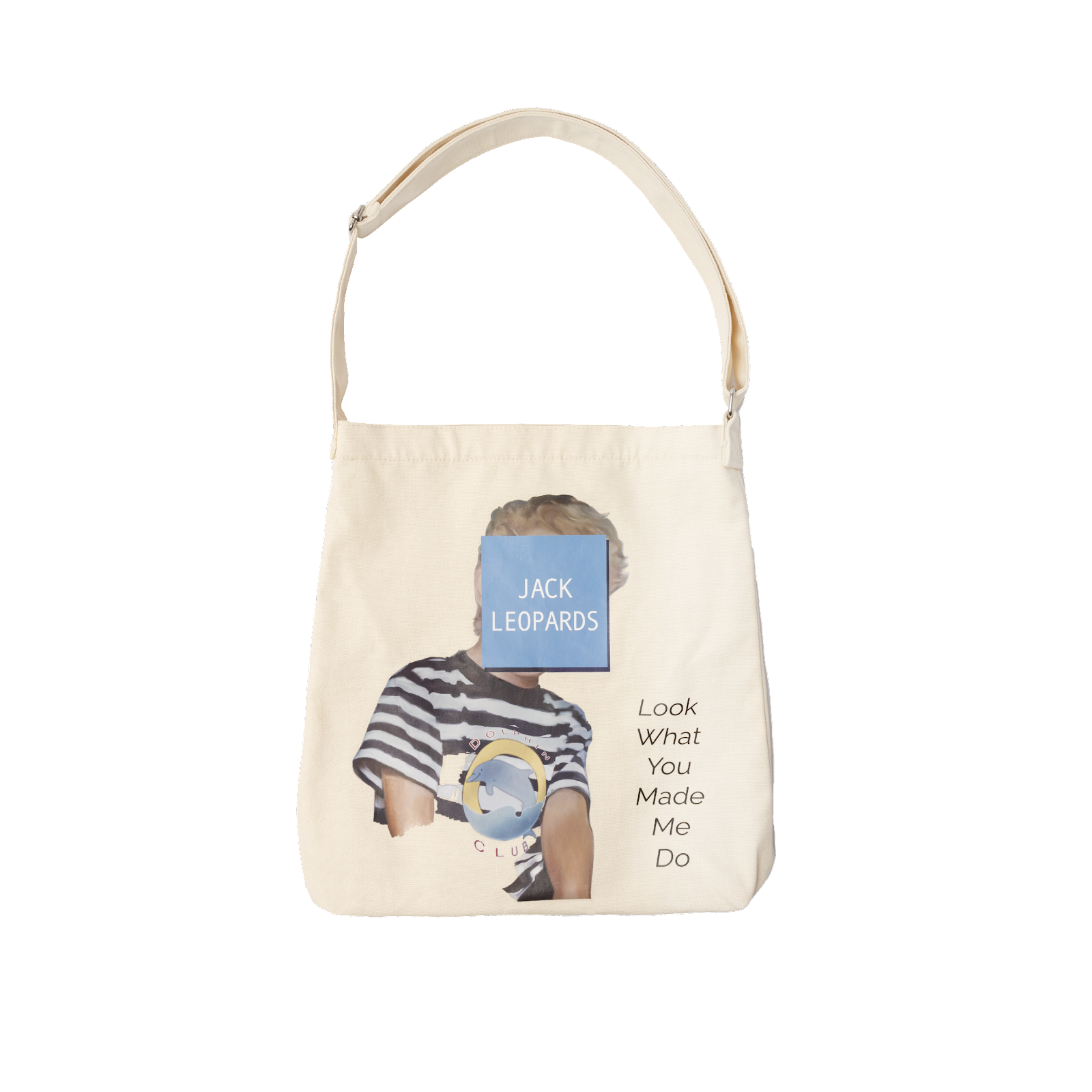
 This post doesn't have much to do with the class, but when we started these it was mentioned that we could write about anything concerning digital media, and I realized the other day that I owned something that I hadn't looked at in a while that I thought was interesting. I ordered this tot bag a while ago, and just now got a really good look at the design on it. This is the bag:  I thought of this bag and design to write about because now that I have some experience in Photoshop, I can see all the pieces the designer put together to made the finished product. For example, in the first layer they probably would have cut out the image of the boy, and then added the shadow of the blue square in the second layer. Then, they would've added the blue box in another layer, and the text on top of it. Lastly, they would have cut the dolphin image out and added on top of the boy's shirt in another layer. One thing about the design that I'm not a huge fan of is the text on th...

Intro to Illustrator

 Today we started using Illustrator and it's so much more fun than Photoshop. Photoshop sucks lowkey. Obviously, it'll take some time to get used to, but Illustrator is already so much easier to understand, although there were some tools that were just not working for me. For example, I literally couldn't get the blend shape tool to work,  OR the curvy text tool, so I'm going to have to play around with that. I can't paste what I made in class, but it felt very Minecraft inspired. Just very simple shapes. I am excited to work on our assignments for next week, though I do think the portrait might be a bit of a challenge. 

2nd Photoshop Assignment

Image
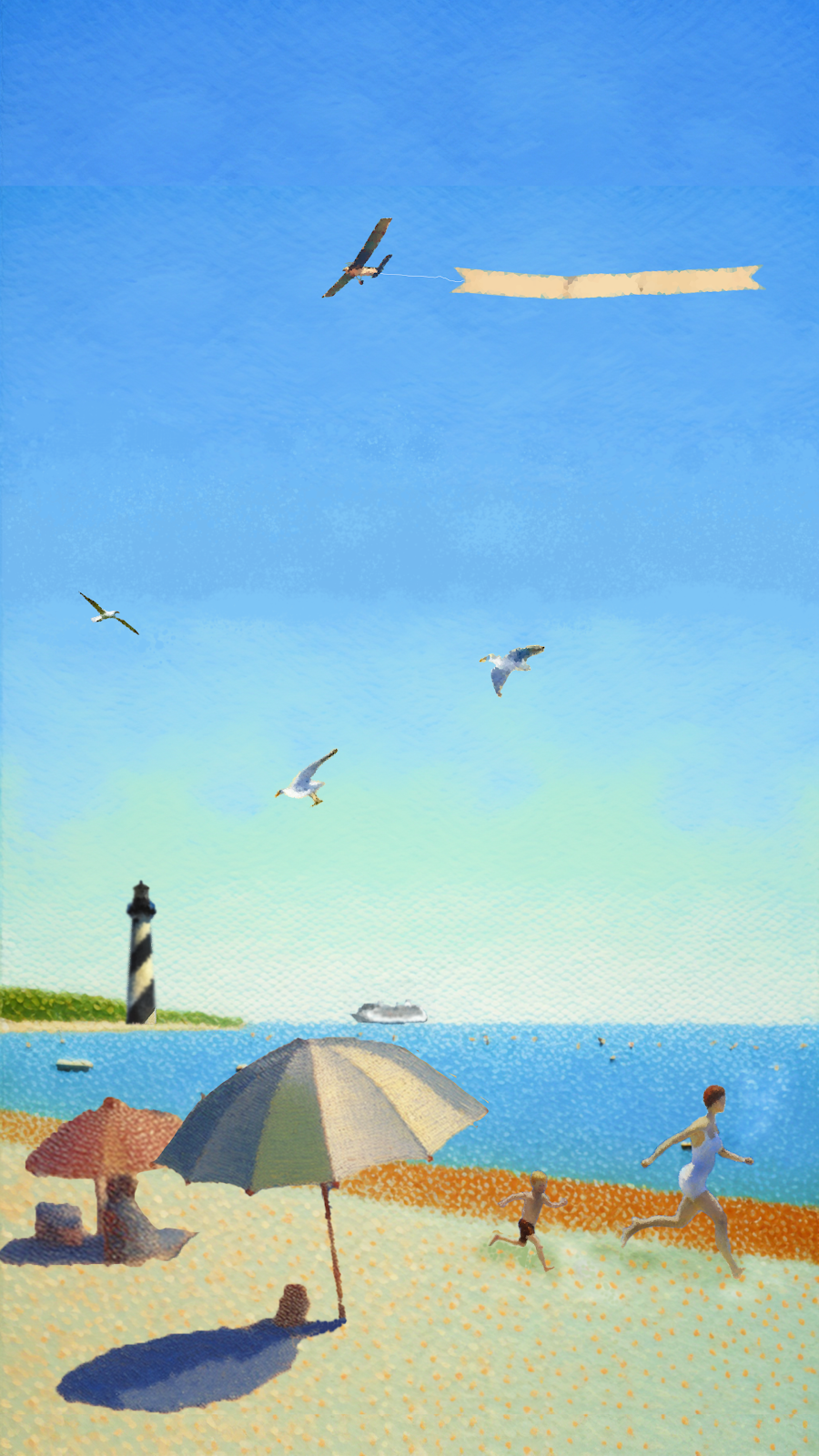
 Fake Art: ✅  As I looked at Seurat's different pieces, I noticed that a lot of them had bodies of water in them. "A Day at the Park" has people next to a lake, and "Bathers at Asnières" has people in front of another pond. I decided that I would create a image of a kind of picture I would take of Hollywood Beach, my hometown beach, and parts of St. Augustine, most notably the lighthouse. This was my final image:  I really like how it turned out, and I think I did a really good job of adding the different elements together into one cohesive piece. When you're starting at it as you work on it, you tend to notice each individual piece, but looking at it after you've closed it makes it look much more put together.  I added the cruise ship and the plane with the banner attached because you always see those at Hollywood beach, and the lighthouse, seagulls, and parent/child running seemed like more of the laid back vibe that you feel in St. Augustine. I also h...

Photoshop: Part 2

 Second assignment got pushed back until Monday, so tiny update for this post. I didn't do anything in class yesterday except make images because I lowkey have no vision, but I chose to do a fake of Georges Seurat. He was the first artist that I learned about in grade school that I actually gave a shit about, mostly because his unconventional methods of pointillism really stuck out to me. "A Day In the Park" is an iconic painting, and one of the first art projects I did was trying to make an image using small dots. I've never been artistically gifted, and I think the accessibility of Seurat's art style is what drew and has still drawn me to him and his work.  So yeah, that's who I've chosen as my artist to make a fake of. I think I'm going to do something beach-inspired, because my main though right now is to do something with the St. Augustine lighthouse. That lighthouse is really special to me and my family, so I think it will be nice to do something...

Attempt at Photoshop assignment

Image
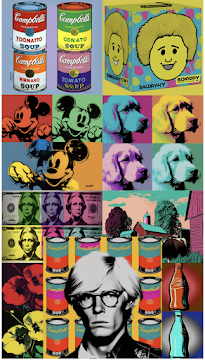
 This week we're working on our second assignment using Photoshop, which is to create a "digital fake" for a specific artist. So, basically, make an image that looks like it could be made by that artist if they were still alive. The first artist I wanted to create a fake of was Edvard Munch, because I like a lot of his work and the way he uses light and warmer colors. But, Midjourney absolutely hated him and any attempt I made at creating an image in the style of his art.  The next artist I thought would be cool to use was Roy Lichtenstein/Andy Warhol, because I think the pop art style is really fun and uses colors in an interesting way that we don't normally see. But as I created images, I realized that there wasn't really a vision I had in mind for making some sort of fake, especially because I wasn't as familiar with the methods these artists used to create their work. My attempt at making a fake Warhol turned out like this:  But, I realized this is basical...